Speedcube timer, cube lessons and an algorithm trainer
A WCA timer for all 17 events, a path from your very first solve to full CFOP, and OLL, PLL and F2L trainers that bring back the cases you forget. One app for the whole journey.


- 17WCA events
- 57OLL cases
- 21PLL cases
- 41F2L cases
- 4courses
- 59achievements
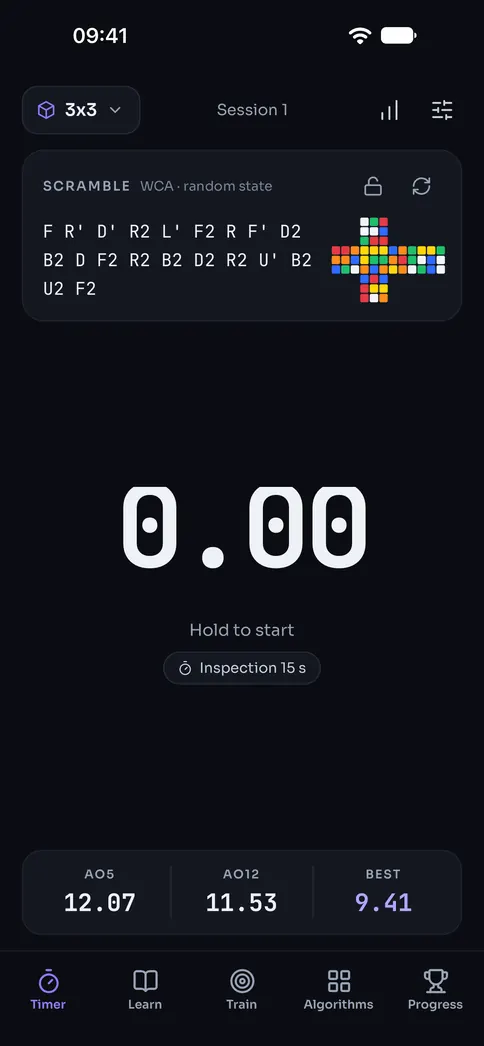
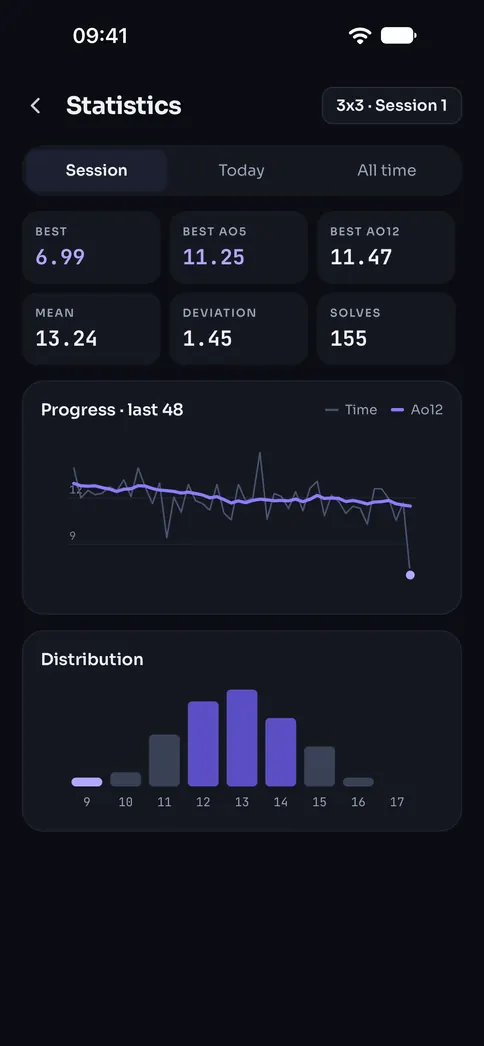
A WCA timer for all 17 events
Random-state scrambles with a preview, 15-second inspection with calls at 8 and 12, +2 and DNF, and every average you know, from Ao5 to Ao1000.
- Hold and release on the screen, or use the space bar on the web
- Histogram, trend, personal bests, goals and a round simulator
- Import your times from csTimer or Twisty Timer
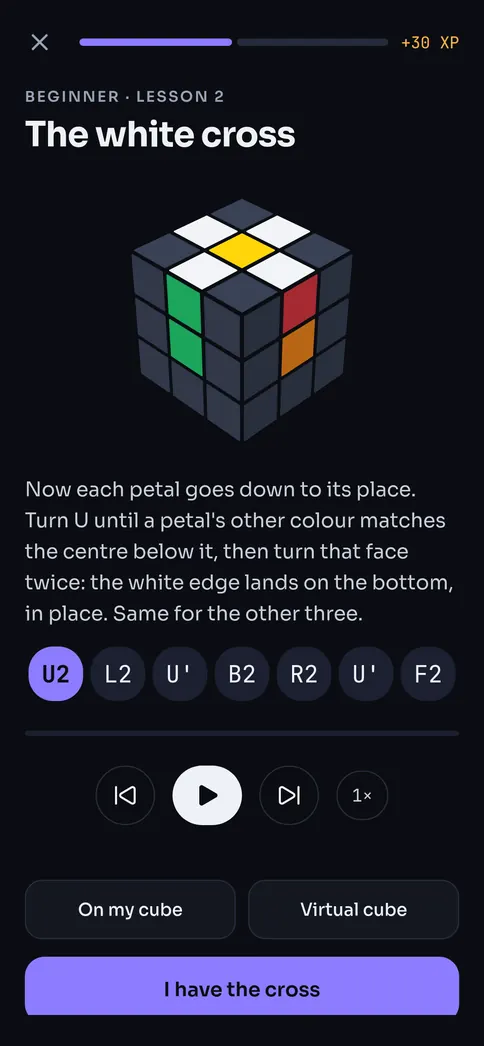
Learn how to solve a 3x3 cube, from beginner method to CFOP
Four courses — notation, layer by layer, 2-look and advanced — covering all 41 F2L, 57 OLL and 21 PLL cases, inspection and color neutrality. Every step on a 3D cube, at your own pace.
- Follow along on your own cube or the virtual one
- Recognition quizzes and mini drills in every lesson
- Start where you are: pick your level on day one
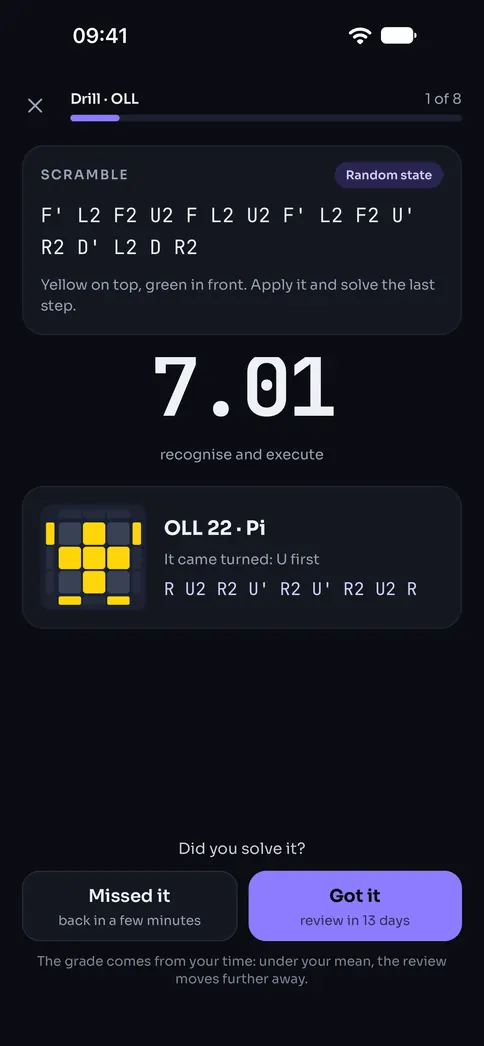
OLL, PLL and F2L trainer with spaced repetition
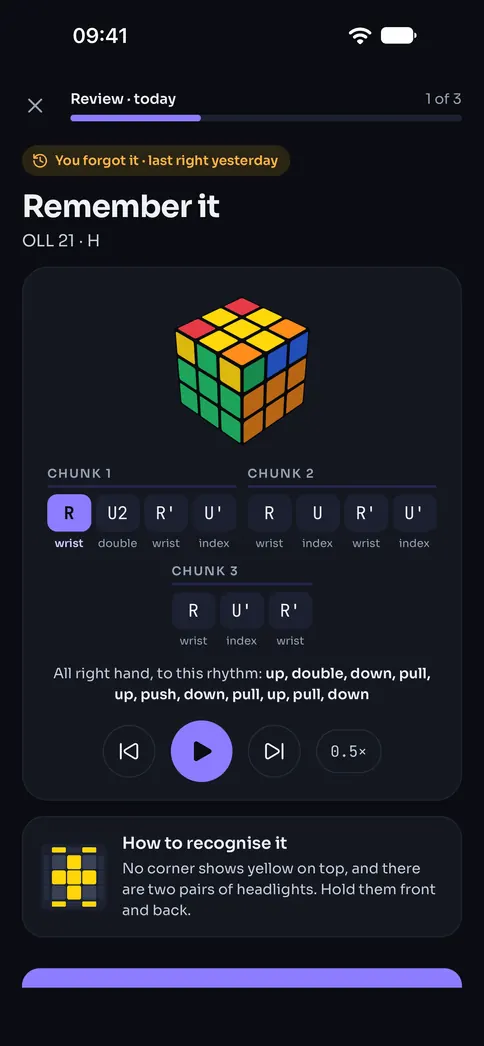
Every scramble is a random state with your case in it, never the inverse of the algorithm — so you drill exactly the case you meant to. Pick cases by hand, the ones you know, your slowest, or today’s review.
- Timed drills, recognition practice and full last layer
- Uniform order, real-world probability or spaced repetition
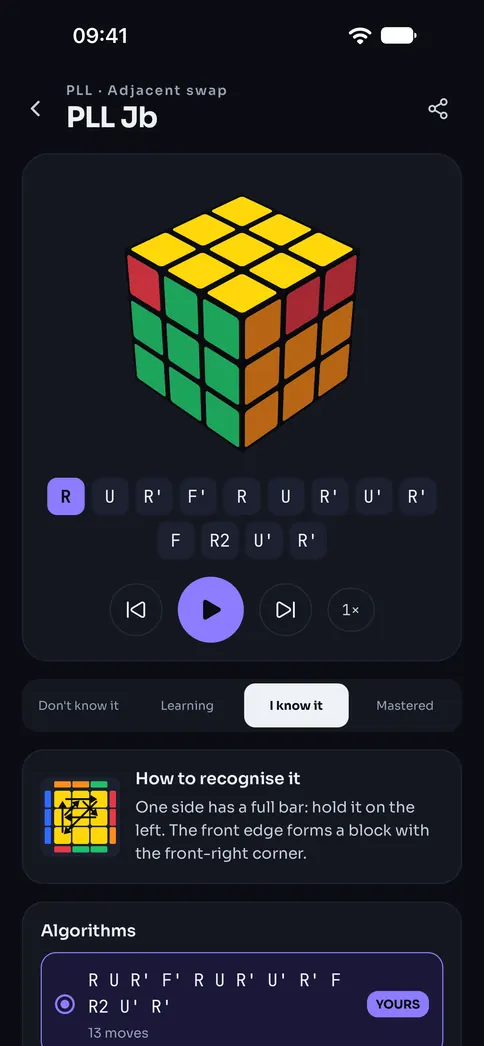
OLL, PLL and F2L algorithms, several for every case
A diagram, an animation and move counts for every algorithm. Pick yours or type your own, and CubeDojo tells you if you wrote it backwards or if it solves a different case: the inverse of Sune, R U R' U R U2 R', is an Antisune.
- A library by set and by group, with search
- Every author credited
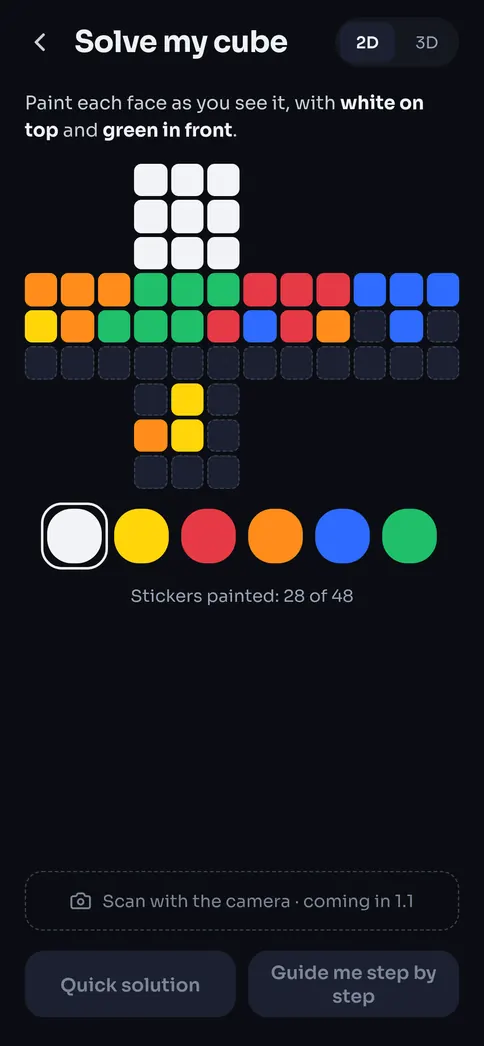
Cube solver: paint your cube and get the solution
Paint the stickers of your scrambled cube — impossible ones get flagged — and choose the shortest solution or a guided, step-by-step beginner solve.
- Checks the cube is solvable before solving it
- Every step animated on the 3D cube
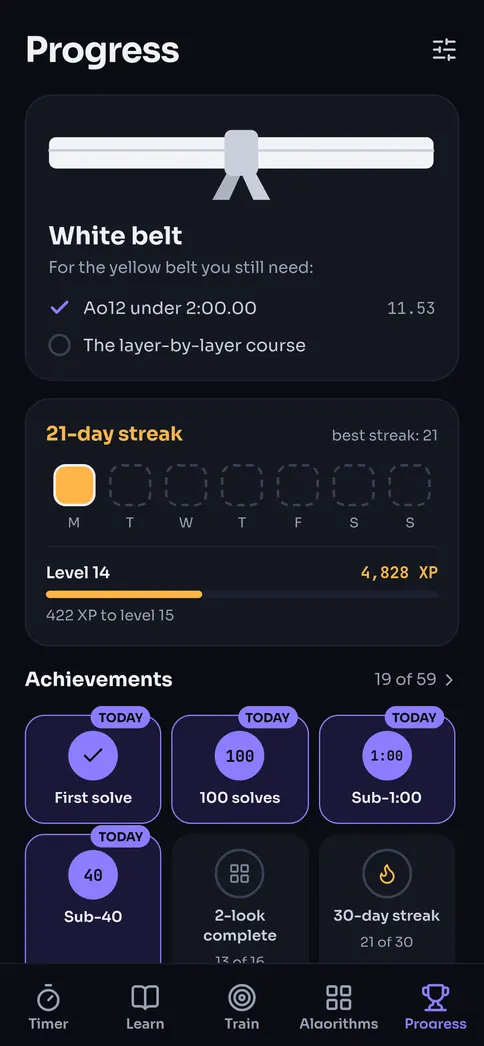
Belts, streaks and achievements
From white belt to black, each one asks for a time and a set learned. Daily streaks, XP and 59 achievements that also unlock in Google Play Games and Game Center.
- Personal bests and goals, with when you’ll get there at your pace
- Solving, training or learning all keep your streak alive
Your times on your phone, your tablet and the web
Sign in with Apple or Google and everything syncs: times and sessions, the algorithms you know, your reviews, your belt and your achievements. It works offline and catches up when you’re back online.
- iPhoneappBest Ao5 · 3x320.96Synced
- Android tabletappBest Ao5 · 3x320.96Synced
- cubedojo.appbrowserBest Ao5 · 3x320.96Synced
Frequently asked questions
Is CubeDojo free?
Yes, all of it. It has discreet ads that never appear in the timer, inspection, a drill, a review or a lesson; on the phone, at most one full-screen ad a day. “No ads” is a one-time in-app purchase, not a subscription.
Do I need an account?
Not on the web: open CubeDojo and start. If you sign in later, what you did in that browser is saved to your account. On the phone you sign in with Apple or Google the first time, so your times and progress follow you to every device.
Is it for me if I’ve never solved a cube?
Yes. The beginner course teaches you how to solve a 3x3 cube layer by layer, on a 3D cube at your own pace, with your own cube or the virtual one. Then come 2-look and full CFOP.
Are the scrambles like the WCA’s?
They follow Article 4 of the WCA Regulations: random-state where it is required, with a preview, for all 17 events. CubeDojo is not affiliated with the World Cube Association.
Can I bring my times from csTimer or Twisty Timer?
Yes. Import them from the timer and they join your sessions, with their averages and personal bests.
Does it work offline?
Yes. Everything is saved on your device first and syncs when you’re online.
What happens to my data if I delete my account?
It is deleted from our server and from all your devices, and cannot be recovered. You can do it whenever you like from Settings.
Your next personal best starts in your browser
Nothing to install and no account. When you want it in your pocket, get the app.
Open CubeDojo